Customer support teams are judged on two things more than almost anything else: how quickly they respond and how effectively they resolve issues. But even strong teams cannot solve every ticket on the first reply. Some requests need technical expertise, management approval, billing intervention, or a more urgent response path. That is where a well-built escalation framework matters.
If your team uses Zendesk, you already have the tools to create a smarter support escalation process. The challenge is not whether escalation is possible. The real challenge is building a framework that routes the right tickets to the right people at the right time without creating delays, confusion, or a frustrating customer experience.
A strong escalation framework inside Zendesk helps support teams maintain service quality, improve accountability, protect SLAs, and reduce customer churn. It also gives agents a clear path to follow when they need backup, which is essential for both efficiency and confidence.
In this guide, we will explain what an escalation framework is, why it matters, what types of escalations you should plan for, and how to build a practical escalation workflow inside Zendesk that your team can actually use.

What is an escalation framework in Zendesk?
An escalation framework is a structured process for moving customer issues to the right team, skill group, or decision-maker when the original support agent cannot resolve the problem alone.
Inside Zendesk, this framework is not just a policy document. It becomes an operational system built through triggers, automations, views, groups, ticket fields, macros, SLAs, routing rules, and internal workflows. When properly configured, Zendesk helps your team identify when a case should be escalated, where it should go, how quickly it should be handled, and what information should move with it.
In simple terms, a Zendesk escalation framework answers five critical questions:
- When should a ticket be escalated?
- Who should receive it next?
- What priority should it carry?
- What internal context must be included?
- How will the team measure whether the escalation process is working?
Without those answers, escalations become inconsistent. Agents rely on guesswork, customers repeat themselves, and important tickets sit too long in the wrong queue.
Why escalation management matters for support teams
Escalation management is not just about handling difficult tickets. It is about protecting the entire customer experience.
When a support team lacks a clear escalation process, customers feel the consequences quickly. They wait longer, receive conflicting answers, get transferred too often, or lose confidence that the issue is being taken seriously. On the other hand, when escalation is handled smoothly, customers feel guided rather than bounced around.
A strong escalation framework inside Zendesk helps businesses:
- improve ticket resolution time
- protect service level agreements
- reduce repeat contacts
- support agents with clear next steps
- improve communication across teams
- reduce friction during handoffs
- increase customer satisfaction and trust
This is especially important for companies managing technical support, billing disputes, account issues, urgent service interruptions, product bugs, VIP customers, and multi-team service environments.
Common types of escalations you should plan for
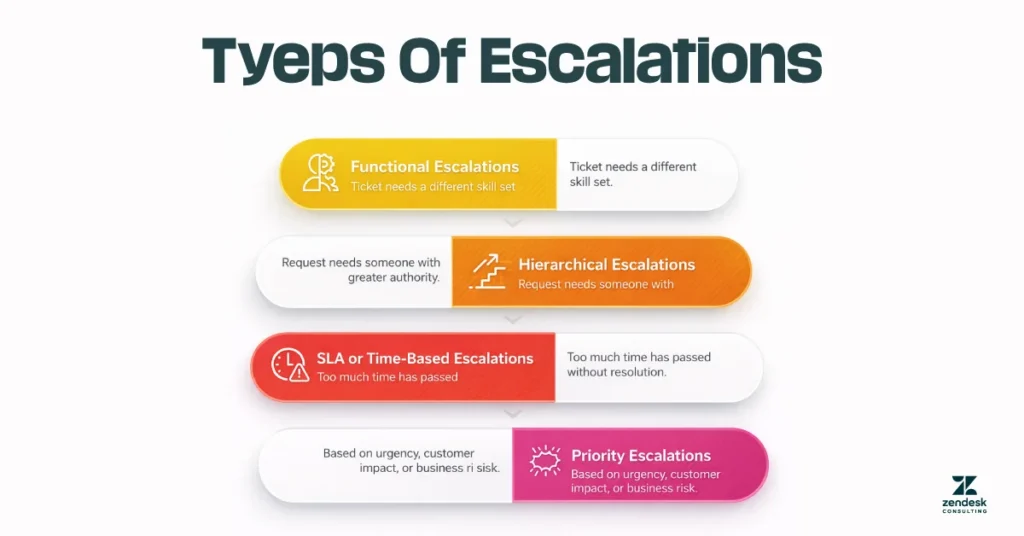
Not every escalation is the same. Before building workflows inside Zendesk, it helps to define the kinds of escalations your team actually handles.
Functional escalations
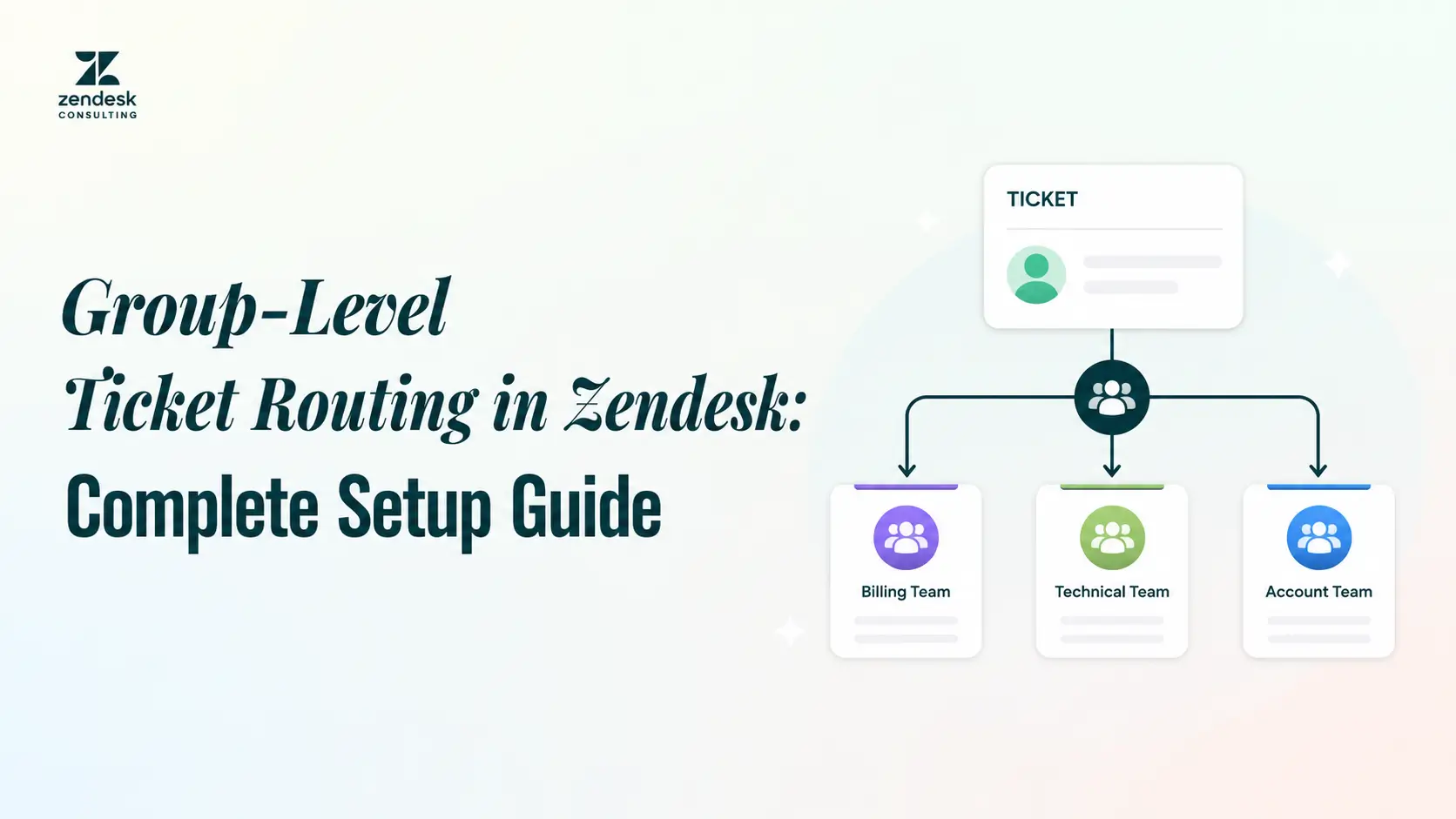
A functional escalation happens when a ticket needs a different skill set. For example, a front-line agent may understand general product usage but not advanced API behavior, integration errors, or authentication issues. In that case, the ticket should move to a specialized technical support team.
Inside Zendesk, this often means routing tickets to a different group based on product area, issue category, or custom field logic.
Hierarchical escalations
A hierarchical escalation is required when a request needs someone with greater authority. This usually includes refund approvals, policy exceptions, legal concerns, sensitive complaints, or requests from frustrated customers asking for a manager.
Zendesk can support this with dedicated escalation groups, supervisor views, and ticket tags that indicate approval-needed cases.
SLA or time-based escalations
Some tickets become escalations because too much time has passed without resolution. These are often triggered by SLA risk rather than complexity. For example, if a high-priority ticket has not received an update within a set timeframe, it should automatically move up the queue.
Zendesk automations and SLA policies are especially useful here because they can detect aging tickets and escalate them before deadlines are missed.
Priority escalations
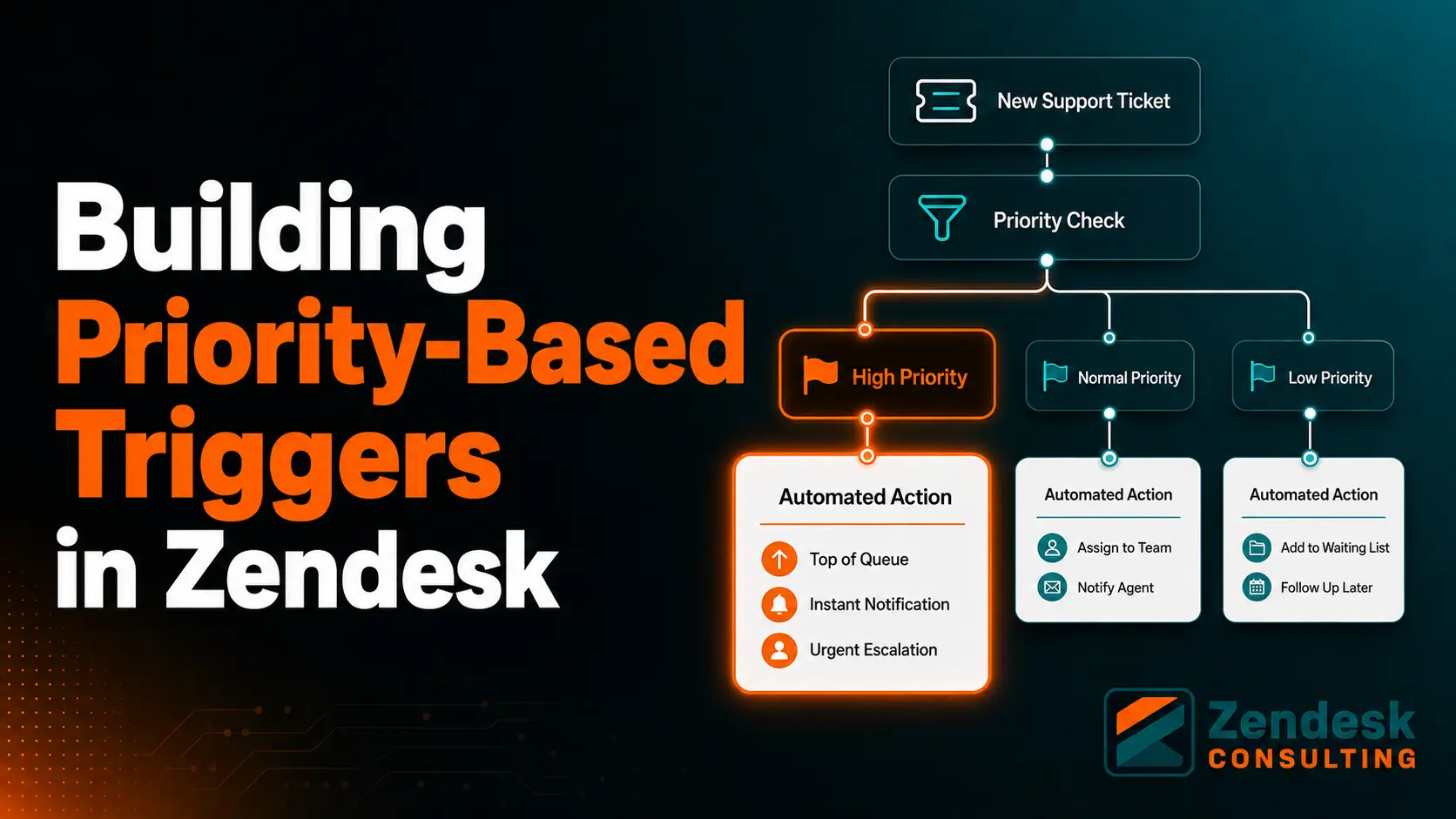
Priority escalations are based on urgency, customer impact, or business risk. A bug affecting one user may be routine. A bug affecting all users during business hours is a priority escalation.
These cases should be clearly defined in your Zendesk setup using priority fields, impact tags, and routing logic that identifies high-severity cases fast.
Signs your Zendesk escalation process needs improvement
Many support teams technically have escalation steps, but they do not have a reliable framework. Here are some common warning signs:
- agents escalate tickets inconsistently
- customers repeat their issue multiple times
- tickets sit too long before reaching the right team
- internal notes are incomplete or unclear
- managers get pulled into tickets too late
- urgent issues are buried in normal queues
- teams blame one another for delays
- reporting cannot clearly show escalation causes or outcomes
If these issues sound familiar, the problem is usually not effort. It is workflow design.
Core components of a scalable escalation framework inside Zendesk
Before building rules, define the structure. A good framework inside Zendesk usually includes the following pieces.
1. Clear escalation criteria
Agents should know exactly when escalation is appropriate. That means documenting practical triggers such as:
- technical issue exceeds front-line knowledge
- customer requests manager involvement
- billing dispute requires finance review
- ticket is approaching SLA breach
- issue impacts multiple users or systems
- legal, compliance, or security concern is raised
When escalation criteria are vague, teams either escalate too much or not enough.
2. Defined support tiers or groups
Zendesk works best when escalation paths reflect your actual team structure. That may include:
- Tier 1 general support
- Tier 2 product specialists
- Tier 3 engineering or advanced technical support
- Billing or finance
- Customer success
- Supervisors or managers
Each group should have a clear purpose so that routing stays consistent.
3. Standardized ticket data
Escalations fail when the receiving team lacks context. Zendesk ticket forms and custom fields should capture the information needed before a ticket moves. This may include product line, account type, issue severity, troubleshooting steps taken, and business impact.
The more consistent the ticket data, the faster the handoff.
4. Internal communication rules
Agents need a standard way to document escalations. Internal notes should summarize the issue clearly, explain what has already been tried, and state why escalation is needed. This prevents duplicated work and reduces customer frustration.
5. Reporting and accountability
If you do not track escalation volume, causes, speed, and outcomes, you cannot improve the process. Zendesk reporting should help you identify patterns like repeated product issues, training gaps, overloaded queues, and missed SLA points.
How to build an escalation framework inside Zendesk
Now let’s turn strategy into action. Here is a practical step-by-step approach.
Step 1: Map your real support workflows
Start by reviewing the most common ticket journeys in your business. Look at where tickets typically get stuck, where handoffs happen, and which issues require specialist help.
Do not build your escalation system around ideal assumptions. Build it around real operational behavior. Review ticket history, talk to team leads, and identify recurring patterns such as technical escalations, billing handoffs, account complaints, or urgent outage scenarios.
This gives you the foundation for a Zendesk setup that reflects reality.
Step 2: Define escalation categories
Create a short list of escalation types that match your business. For many teams, this includes:
- technical escalation
- billing escalation
- management escalation
- urgent or incident escalation
- VIP customer escalation
- compliance or sensitive issue escalation
These categories can then become custom fields, tags, or routing logic inside Zendesk. Standardization matters here because it improves both execution and reporting.
Step 3: Create groups, views, and ownership rules
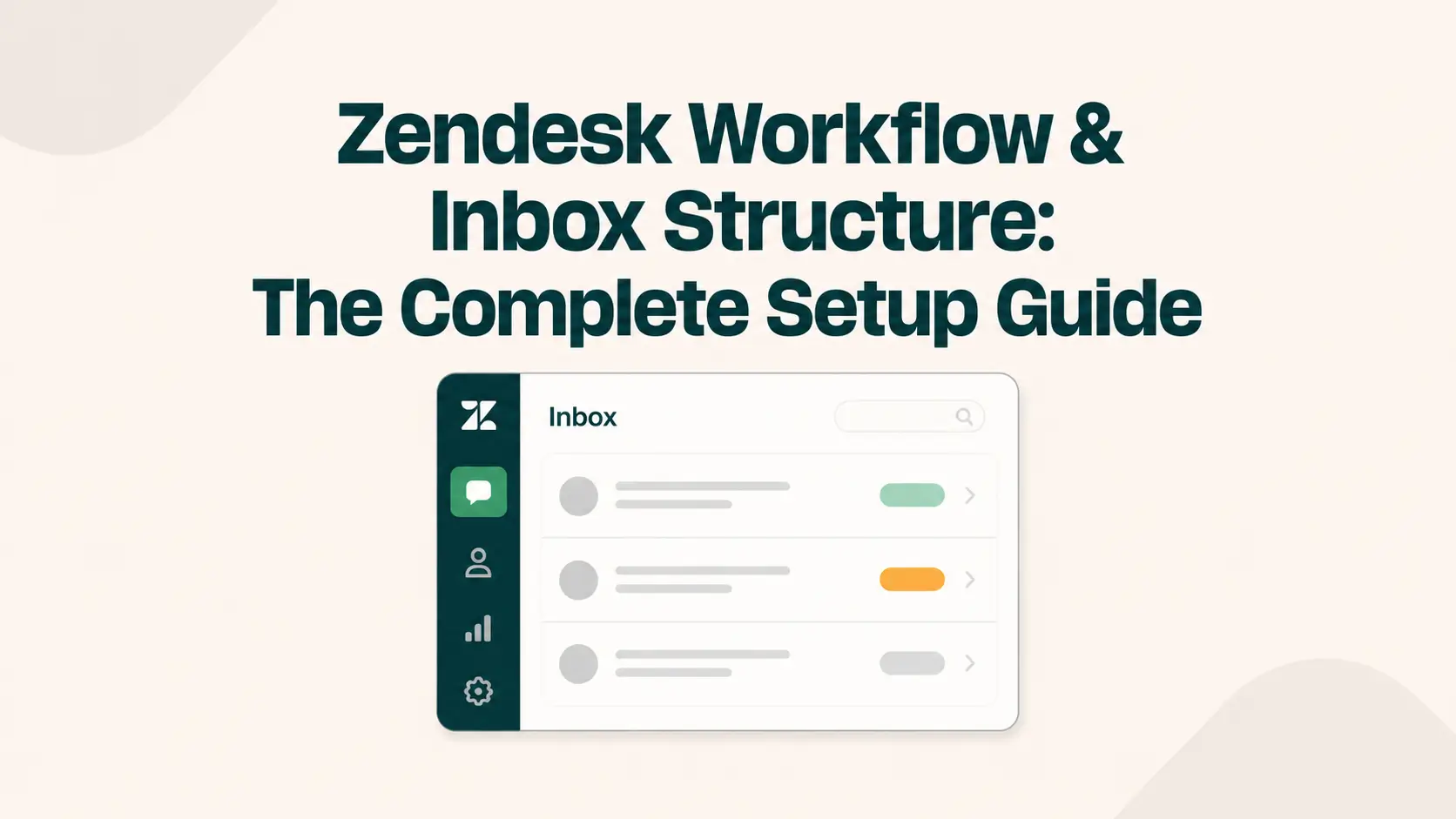
Your Zendesk instance should reflect who handles what. Set up support groups that align with actual responsibilities. Then create views so each team can easily see incoming escalations, overdue escalations, and high-priority tickets.
Ownership rules are equally important. Decide whether escalated tickets remain owned by the original agent, transfer fully to the new team, or follow a shared model. The answer depends on your service model, but it should be consistent.
Step 4: Use ticket fields to guide routing
Custom fields make escalations smarter. Instead of relying on freeform descriptions, require agents to classify the ticket before escalating it. Helpful fields may include:
- issue type
- severity level
- affected product or feature
- business impact
- customer segment
- escalation reason
These fields help Zendesk triggers and automations route tickets correctly and make later reporting far more useful.
Step 5: Build triggers and automations
This is where Zendesk becomes powerful. Use triggers for immediate actions and automations for time-based actions.
For example, a trigger can:
- assign a ticket to Tier 2 when the escalation field is marked technical
- notify a manager when a supervisor request is selected
- add an urgent tag when severity is marked critical
An automation can:
- escalate tickets that are nearing SLA breach
- alert a team lead when a high-priority ticket remains open too long
- move stale escalations into a dedicated review queue
This reduces manual dependence and creates consistency across the team.
Step 6: Standardize handoff communication with macros
One of the simplest ways to improve escalation quality is to create macro templates for internal handoffs. A good macro prompts the agent to include:
- customer issue summary
- relevant account details
- troubleshooting already completed
- screenshots or links if needed
- reason for escalation
- requested next action
This keeps internal notes clean and useful. It also shortens the time the receiving team needs to understand the case.
Step 7: Align escalations with SLA policies
Escalations should not exist separately from service expectations. Tie them directly to SLA targets based on priority, issue type, or customer tier.
For example, critical service-impacting issues may require faster first reply and next-update intervals than standard support questions. Zendesk can help enforce this through policies, automation, and queue visibility.
An escalation framework becomes far more effective when urgency is operationalized rather than assumed.
Step 8: Train agents on judgment, not just rules
Even the best Zendesk configuration will fail if agents are uncertain about when to escalate. Training should cover both mechanics and judgment.
Teach agents:
- when to escalate
- when not to escalate
- how to explain escalation to customers
- how to write concise internal notes
- how to preserve ownership and accountability
- how to de-escalate emotionally charged interactions
Escalation training should be ongoing, especially when product complexity or service offerings evolve.
Best practices for building better escalations in Zendesk
A framework works best when it is simple enough to follow and strong enough to scale. These best practices help.
Make escalation paths visible
Agents should not have to search through old documentation to understand next steps. Keep workflows easy to access and reinforce them through forms, macros, and internal playbooks.
Reduce unnecessary escalations
Not every difficult ticket needs to move teams. Improve internal knowledge bases, agent training, and guided troubleshooting so more issues can be solved at first contact.
Keep the customer informed
Customers should never feel abandoned during escalation. Use clear language that explains the next step, expected timing, and who is handling the issue. Good communication can improve customer satisfaction even when resolution takes longer.
Prioritize context over speed alone
Fast handoffs are helpful, but incomplete handoffs create rework. Focus on quality escalation documentation so tickets move forward, not sideways.
Review escalation trends monthly
Audit your escalation data regularly. Look for repeated issues, slow teams, policy bottlenecks, or product problems driving higher ticket volume. Escalation reporting can reveal both support weaknesses and operational insights.
Metrics to track for escalation management
To improve your framework, track the metrics that reflect both speed and quality. Useful Zendesk escalation KPIs include:
- escalation rate
- first response time
- time to resolution
- SLA breach rate
- reopen rate
- CSAT after escalation
- transfer count per ticket
- backlog by escalation group
- top reasons for escalation
These metrics help you understand whether your escalation process is supporting the customer journey or slowing it down.
Final thoughts
A support escalation framework should not feel like a workaround for broken service. It should be a built-in part of how your Zendesk operation delivers reliable customer support at scale.
When designed properly, escalation workflows improve clarity for agents, faster routing for teams, stronger SLA performance, and a smoother experience for customers. More importantly, they create a system your business can trust when support issues become more complex, more urgent, or more sensitive.
Zendesk gives you the building blocks. The real value comes from how you configure them around your workflows, teams, priorities, and customer expectations.
If your current support process relies too heavily on manual decisions, inconsistent handoffs, or unclear ownership, now is the right time to build a better escalation framework inside Zendesk