Support teams everywhere share the same frustration: agents drowning in repetitive questions while customers wait longer than they should for simple answers. The good news is that a well-built Zendesk knowledge base can quietly handle a massive share of those routine tickets, freeing your team to focus on complex issues that actually require human expertise.
Companies that invest in self-service properly often see ticket deflection rates of 30% to 40%, and some push even higher once their content library matures.
This guide walks you through the complete setup process, from initial configuration to advanced optimization, so your knowledge base becomes a genuine support engine rather than a dusty FAQ page nobody reads.
Why a Zendesk Knowledge Base Is Worth the Effort
Self-service is no longer a nice-to-have. Most customers prefer solving issues on their own when given the option, and they actively avoid contacting support if they can find a clear answer in under a minute. A Zendesk knowledge base, powered by Zendesk Guide, serves that exact need by acting as the front line of your support strategy.

When customers find answers without filing a ticket, your cost per resolution drops dramatically. Industry benchmarks place self-service resolutions at a fraction of the cost of agent-handled tickets, sometimes as low as a tenth of the price. Beyond cost savings, a strong knowledge base builds trust. Clear documentation signals that your company is organized, transparent, and confident in its product.
There is also a search visibility benefit that often goes unnoticed. Public help center articles get indexed by Google and increasingly surface in AI answer engines like ChatGPT, Perplexity, and Google AI Overviews. That means your support content can attract new customers, not just serve existing ones.
Turn Zendesk Into Your Strongest Support Asset
Ready to turn Zendesk into a true growth engine for your support team? At Zendesk Consulting, we help businesses set up, optimize, and scale their Zendesk environment so customers get faster answers and agents stop drowning in repetitive tickets.
Whether you are launching Zendesk for the first time or fixing a setup that is no longer working, our experts deliver clean configurations, smart automations, and knowledge base strategies that drive real results. Book your free consultation today and see how much your support operation can improve in the next 30 days.
Planning Before You Build
Jumping into the Zendesk Guide without a plan is the most common mistake teams make. The platform is flexible, but flexibility without strategy leads to messy categories, duplicate articles, and content nobody can find. Use the table below as a pre-launch checklist to align your team before a single article gets written.
| Planning Step | What to Do | Why It Matters |
| Audit Past Tickets | Pull the last three to six months of support tickets and identify the top recurring issues. | These are your highest-value articles because they address the questions already costing your team the most time. |
| Group Issues Into Themes | Cluster related questions into broader themes that naturally belong together. | Themes form the foundation of your category structure and prevent duplicate or overlapping articles. |
| Define Your Audience | Clarify exactly who will be reading your articles, such as technical admins, end users, or non-technical buyers. | Audience clarity shapes your tone, depth, and how much jargon you can reasonably use. |
| Choose Content Tone | Match your writing style to your audience. A B2B SaaS center reads very differently from a consumer e-commerce help center. | The wrong tone alienates readers, increases bounce rates, and reduces self-service success. |
| Decide Access Level | Choose between a public, private (sign-in required), or hybrid help center model. | Public content drives SEO and AI discoverability, while gated content protects sensitive or premium information. |
| Set a Launch Baseline | Document current ticket volume, top ticket categories, and average resolution time before launch. | A clear baseline lets you measure deflection accurately once the knowledge base goes live. |
Most businesses benefit from a primarily public help center because of the strong SEO and AI search visibility it provides, with sensitive content gated behind authentication. Taking an hour to complete this planning phase saves weeks of restructuring later and gives your knowledge base a focused, intent-driven foundation from day one.
Setting Up Zendesk Guide Step by Step
Activating Guide and Choosing a Theme
If you already have a Zendesk Support account, Guide is bundled in or available as an add-on depending on your plan. Activate it from the admin panel, then choose a theme that matches your brand.
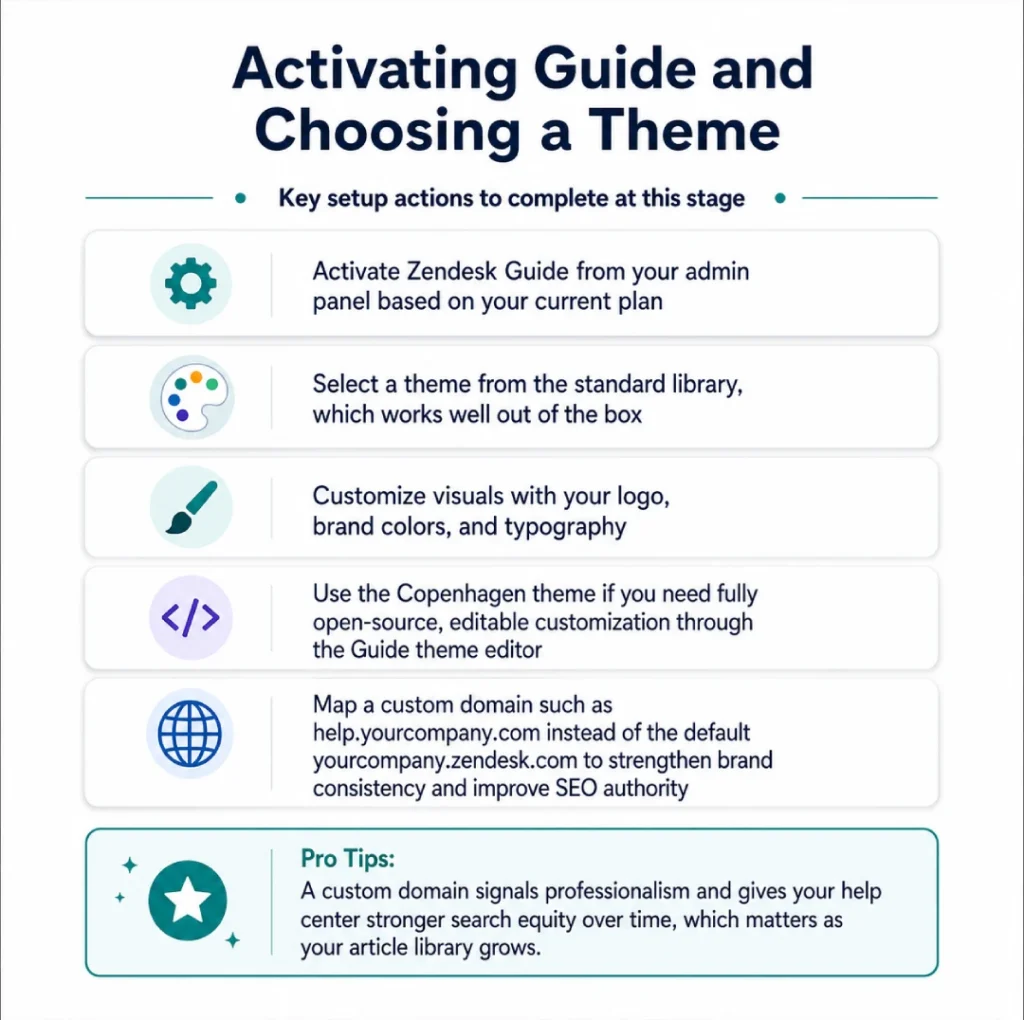
Key setup actions to complete at this stage:
- Activate Zendesk Guide from your admin panel based on your current plan
- Select a theme from the standard library, which works well out of the box
- Customize visuals with your logo, brand colors, and typography
- Use the Copenhagen theme if you need fully open-source, editable customization through the Guide theme editor
- Map a custom domain such as help.yourcompany.com instead of the default yourcompany.zendesk.com to strengthen brand consistency and improve SEO authority
A custom domain signals professionalism and gives your help center stronger search equity over time, which matters as your article library grows.
Building Your Category and Section Structure
Zendesk Guide uses a three-tier hierarchy that organizes your entire help center: Categories, Sections, and Articles. Think of categories as the broad pillars of your product, sections as topics within each pillar, and articles as the individual answers.
Here is how the hierarchy typically maps out for a project management tool:
- Getting Started category sections for account setup, first project creation, and team invitations
- Billing category sections for plans, invoices, and payment methods
- Integrations category sections for each major third-party connection
Keep the structure tight by limiting yourself to five to seven top-level categories at launch. Too many categories overwhelm users, dilute search relevance, and make navigation harder for both customers and AI crawlers trying to understand your content hierarchy.
Configuring User Permissions and Roles
Zendesk allows granular control over who can view, create, edit, and publish articles, which matters as your content team grows and multiple stakeholders contribute.
Assign roles based on subject matter expertise:
- Product managers are usually the best authors for feature documentation because they understand the why behind each capability
- Support agents are uniquely qualified to write troubleshooting guides since they handle these issues every day and know exactly how customers describe their problems
- Editors and publishers should be designated to maintain consistency in tone, structure, and quality across the entire knowledge base
Clear role assignment prevents bottlenecks, reduces duplicate work, and ensures every article goes through proper review before publishing.
Writing Articles That Actually Get Read
Content quality is where most knowledge bases succeed or fail. A well-organized help center filled with vague articles will still leave customers frustrated and reaching for the contact button.
Write each article around a single, specific question. Titles should match how customers actually search, which usually means natural language phrasing such as “How do I reset my password?” rather than generic labels like “Password Reset.” This approach also aligns with how AI engines interpret and surface content, because conversational queries dominate that space.
Open every article with a one or two sentence summary that confirms the reader is in the right place. Then deliver the answer in clear, sequential steps. Use screenshots, short videos, or annotated images for any process that involves clicking through an interface. Visual support reduces cognitive load and dramatically improves comprehension, especially for less technical users.
Keep paragraphs short, use descriptive subheadings, and bold key actions sparingly so readers can scan quickly. End each article with related links to guide users through the natural next step in their journey, whether that is a deeper feature article or a related troubleshooting guide.
Optimizing for Search and AI Discovery
A knowledge base that nobody finds is just expensive documentation. Search optimization inside Zendesk Guide works on two fronts: internal search within the help center and external search through Google and AI engines.
For internal search, Zendesk uses the article title, body content, labels, and section context to rank results. Use labels strategically by tagging articles with synonyms and alternate phrasings customers might use. If your product is called “Workflow Builder” but customers also call it “automation tool” or “workflow editor,” include those variations in your labels and within the article body where natural.
For external SEO, the fundamentals still apply. Write descriptive meta titles and descriptions for each article, use proper heading hierarchy, include relevant keywords without stuffing, and link articles internally to build topical authority. Add structured data where possible, since Zendesk supports schema markup that helps Google understand your content as FAQ or HowTo content.
Generative engines prioritize clear, factual, well-structured content with direct answers near the top. Lead with the answer, then provide context. This style satisfies both AI crawlers and impatient human readers, and it positions your articles to be cited in AI Overviews and chatbot responses.
Integrating the Knowledge Base With Support Workflows
A standalone help center is useful, but a knowledge base integrated into your support flow is transformative. Zendesk offers several built-in features that connect self-service to ticket deflection in real time.
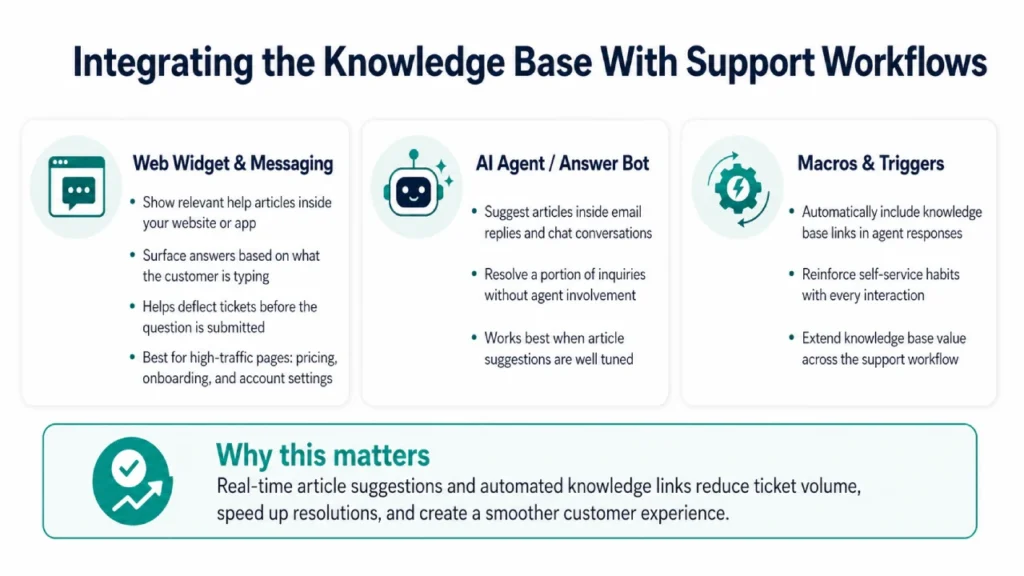
The Web Widget and Messaging features can surface relevant articles directly inside your website or app based on what the customer is typing. This single feature alone deflects a meaningful percentage of would-be tickets because customers see the answer before they finish writing the question. Configure it to appear on high-traffic pages such as pricing, onboarding, and account settings.
Answer Bot, now part of Zendesk’s AI agent capabilities, takes this further by suggesting articles inside email replies and chat conversations. When tuned correctly, it resolves a portion of inquiries without any agent involvement. Macros and triggers can also automatically include knowledge base links in agent responses, reinforcing self-service habits with every interaction.
Measuring Performance and Iterating
You cannot improve what you do not measure. Zendesk Guide includes reporting tools that track article views, search queries, votes, and deflection metrics. Review these reports weekly during the first three months and monthly thereafter.
Pay close attention to failed searches. These are queries customers typed that returned no results or articles they did not click. Each failed search is a content gap and a direct opportunity to create a new article. Article votes and feedback comments reveal which content needs rewriting, while view counts highlight your highest-impact pages, which deserve the most polish and ongoing updates.
Track your ticket deflection rate by comparing self-service article views to support ticket volume over time. If you start with a clear baseline before launching the knowledge base, you can attribute reductions in ticket volume directly to your content investment. Many teams reach 30% to 40% deflection within six to twelve months of consistent effort.
Common Mistakes to Avoid
Even well-intentioned teams fall into predictable traps. The biggest is treating the knowledge base as a one-time project rather than an ongoing program. Products evolve, customer questions shift, and outdated articles erode trust faster than missing articles ever could. Schedule quarterly content audits to retire, update, or merge articles.
Another frequent mistake is writing for internal stakeholders instead of customers. Articles full of internal product names, acronyms, or assumed knowledge fail the people who need help most. Always read drafts from the perspective of someone encountering your product for the first time.
Finally, avoid burying your help center. Link to it prominently from your website header, footer, product UI, onboarding emails, and support contact forms. A knowledge base hidden three clicks deep cannot reduce tickets it never gets the chance to deflect.
Need Help Building a Knowledge Base That Performs?
Setting up a Zendesk knowledge base that actually reduces tickets takes the right structure, strategy, and optimization. At Zendesk Consulting, we help support teams design and launch help centers that drive real self-service results.
Book your free consultation today and start turning your knowledge base into a ticket-deflection machine.
Final Thoughts
A Zendesk knowledge base is one of the most effective ways to improve customer support without adding more pressure to your team. When customers can find answers on their own, they get help faster. When agents receive fewer repetitive questions, they can provide better service. When your support content is organized, searchable, and accurate, your entire customer experience becomes stronger.
The best Zendesk knowledge bases are built around real customer questions. They use clear structure, simple language, helpful instructions, and ongoing optimization. They are not static libraries. They are active support tools that reduce tickets, improve satisfaction, and help your business scale.
If your support team is overwhelmed by repetitive questions, now is the right time to invest in a better Zendesk knowledge base. With the right setup, your help center can become one of your most valuable customer support assets.
Ready to build a Zendesk knowledge base that helps customers help themselves? Contact Zendesk Consulting today to create a smarter self-service support experience and reduce avoidable tickets with a professionally configured Zendesk Help Center.